Free for CWPpro servers. CWP DataCenter Panel manages all your CWP servers from one place: live health of every server, every hosting account on every server, CWP and OS updates on many servers at once, backups, SSL, firewall and alerts on Telegram. You install it like WordPress, on one hosting account, and add a server with one command.
YOUR FLEET
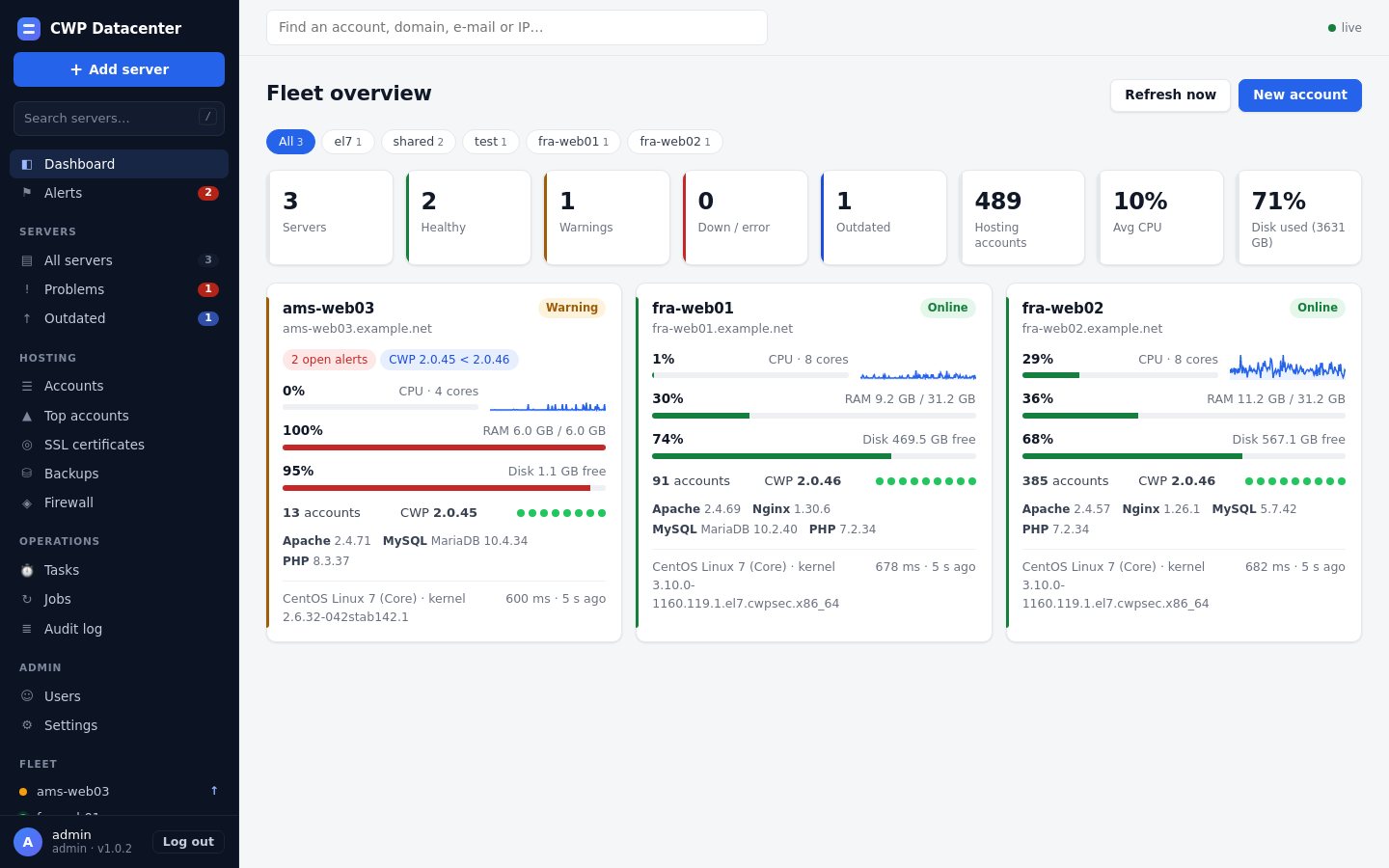
All your servers on one screen
CPU, memory, disk, load, services and software versions of every server, live, with the servers that need you at the top.
- Problems and outdated servers listed in the menu, before customers notice
- CWP, Apache, nginx, MySQL/MariaDB, PHP, kernel and OS versions of every server side by side
- History charts and a forecast of when a disk will be full
- Tags as server groups: filter, run tasks and limit users by tag
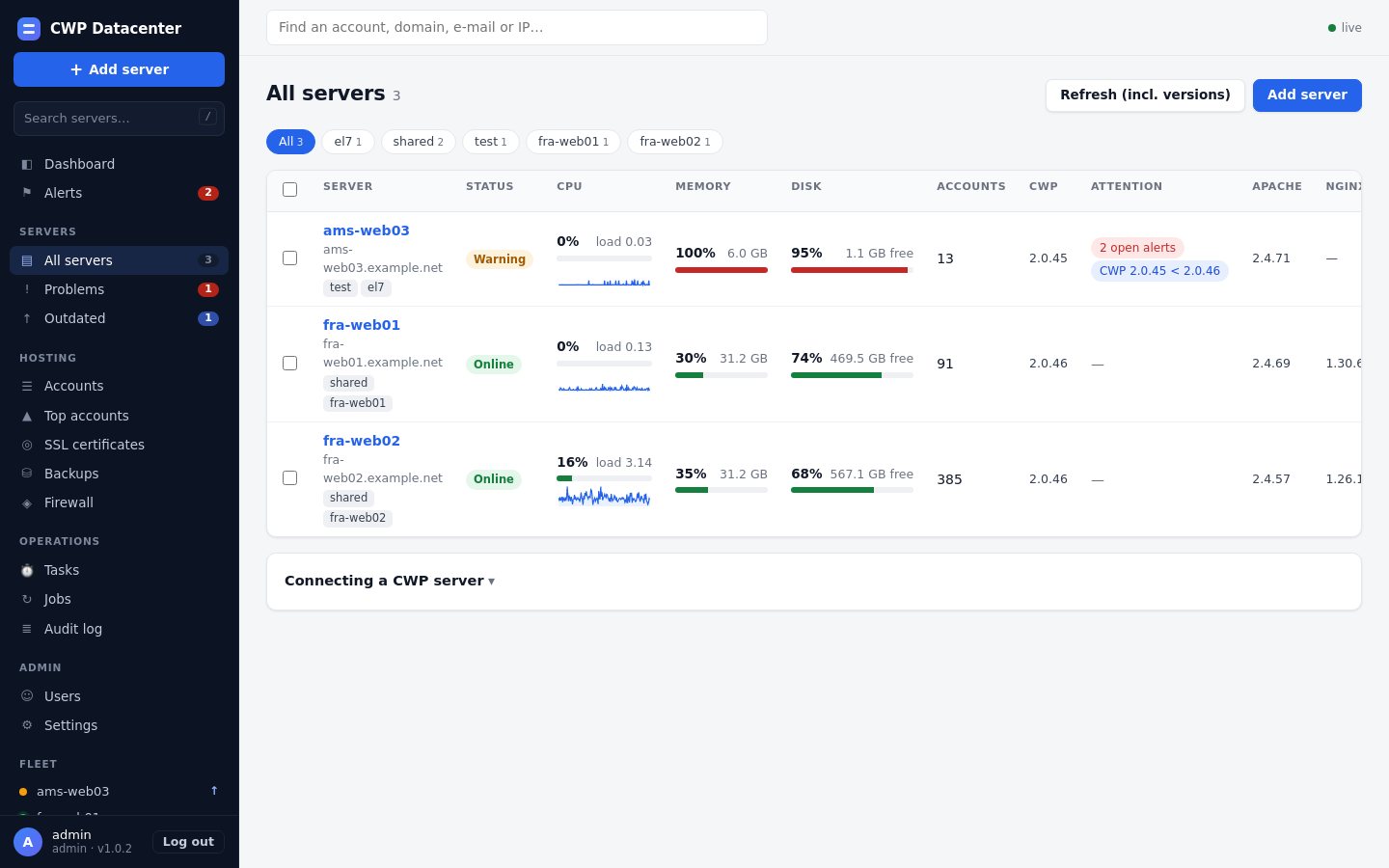
Every server in a table
Sort and filter the whole fleet, select servers with a click and send them the same task: a CWP update, an OS update or a service restart.
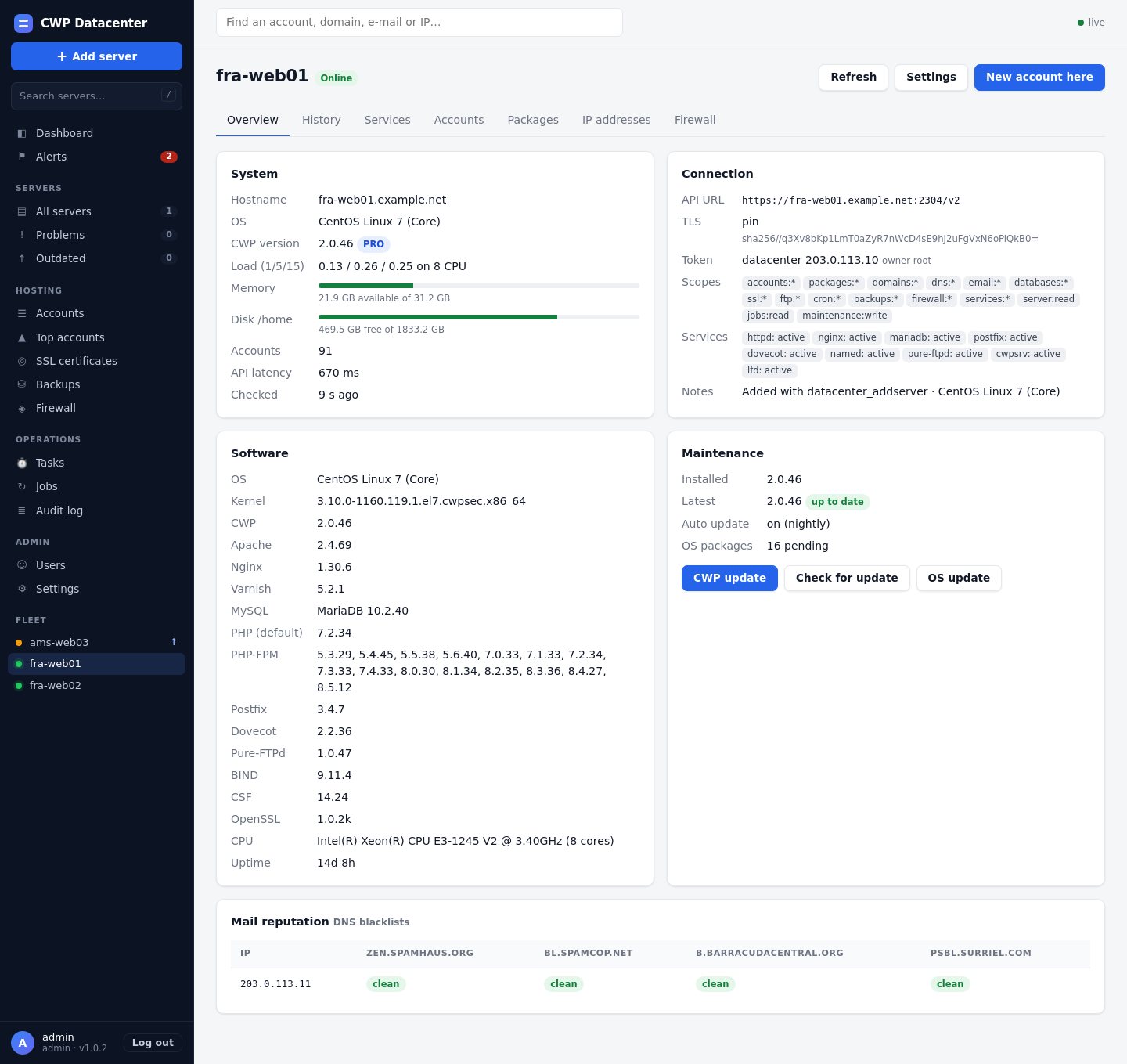
One server in detail
System, software versions, services, accounts, packages, IPs and firewall of a server, with CWP and OS updates one click away. The mail reputation of its IPs is checked against the DNS blacklists.
HOSTING ACCOUNTS
Every hosting account, on every server
Find any account in a second, wherever it is, and manage it without logging in to its server.
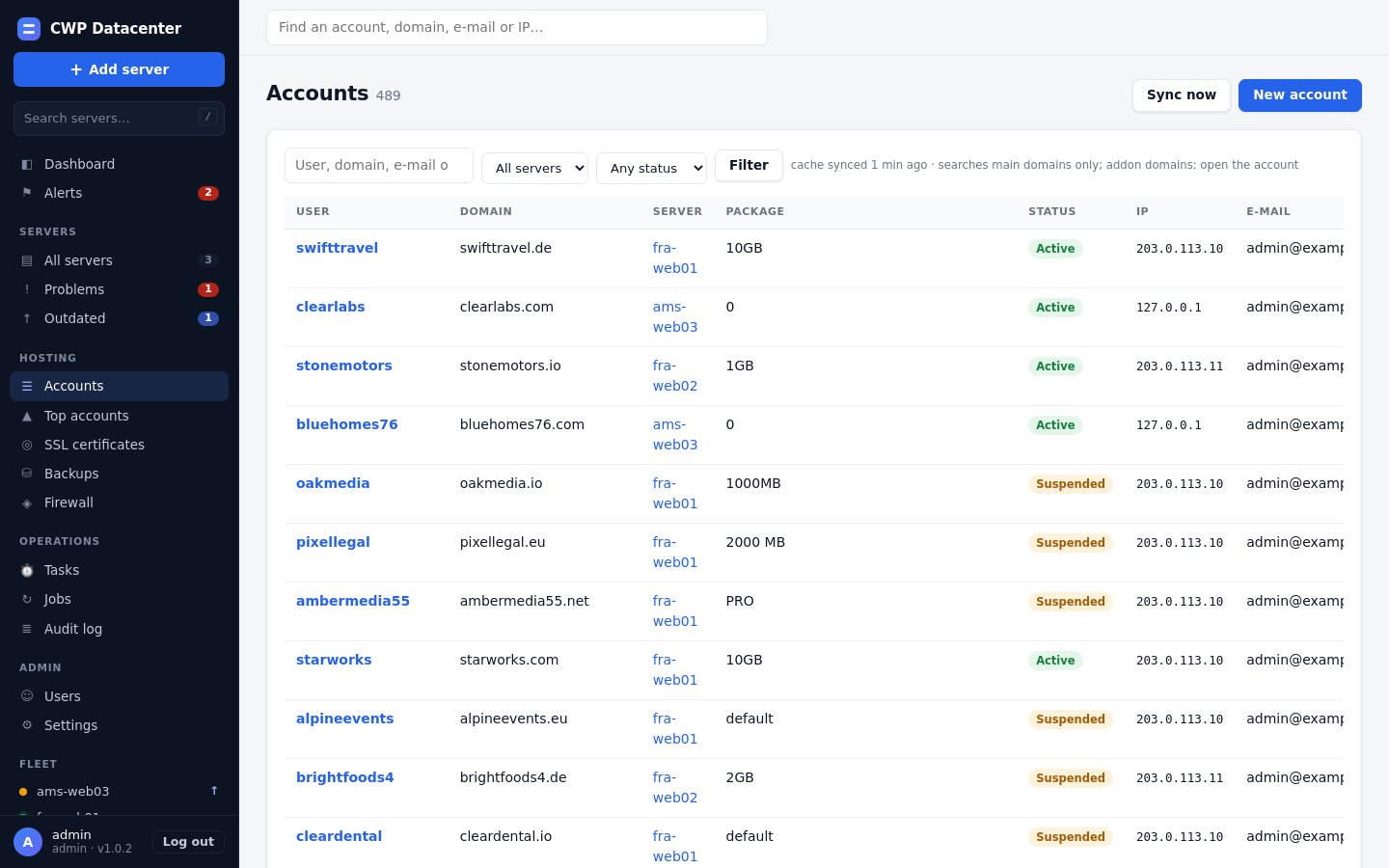
Search all accounts
User, domain, e-mail or IP across all servers. Open an account to manage domains, e-mail, databases, DNS, SSL, FTP, cron, redirects and backups, or log in to its user panel with one click.
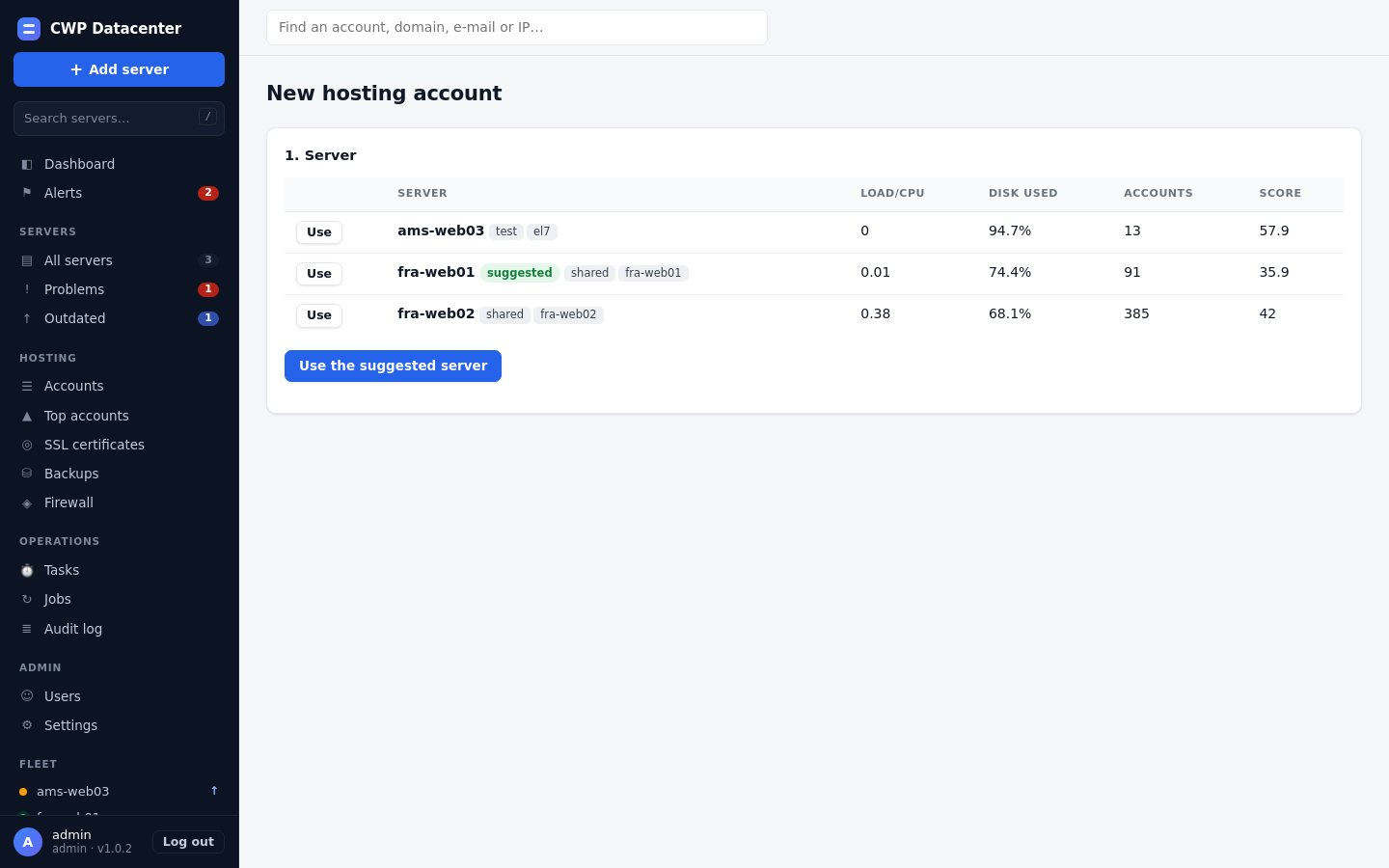
New accounts on the right server
CWP DataCenter Panel suggests the server with the most room (load, disk, memory) and warns when the domain already exists elsewhere in your fleet.
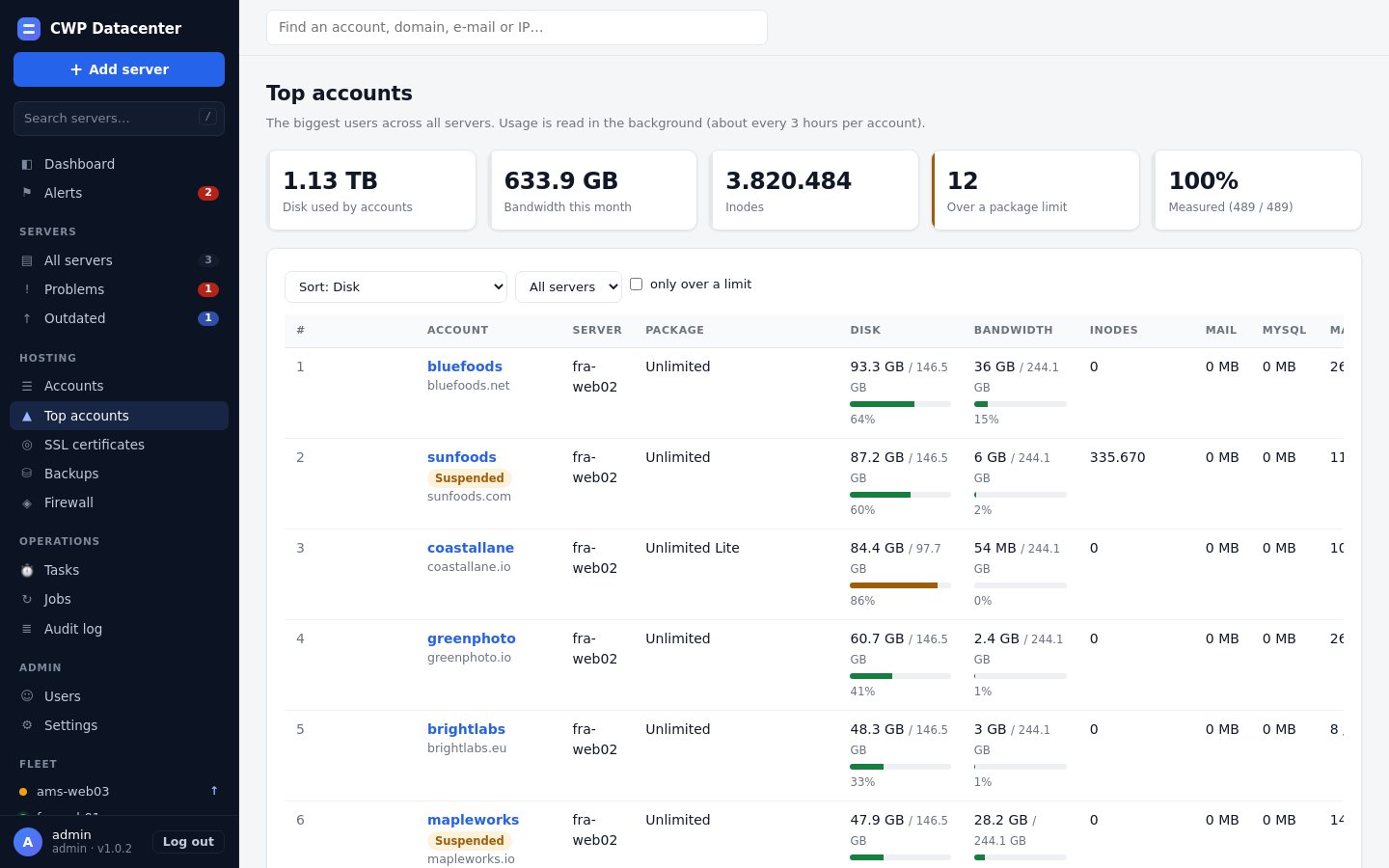
Top accounts
The biggest users of disk, bandwidth, inodes, mail and databases across all servers, and who is over a package limit.
OPERATIONS
Updates and tasks on many servers at once
Plan a CWP or OS update for the whole fleet and go to sleep.
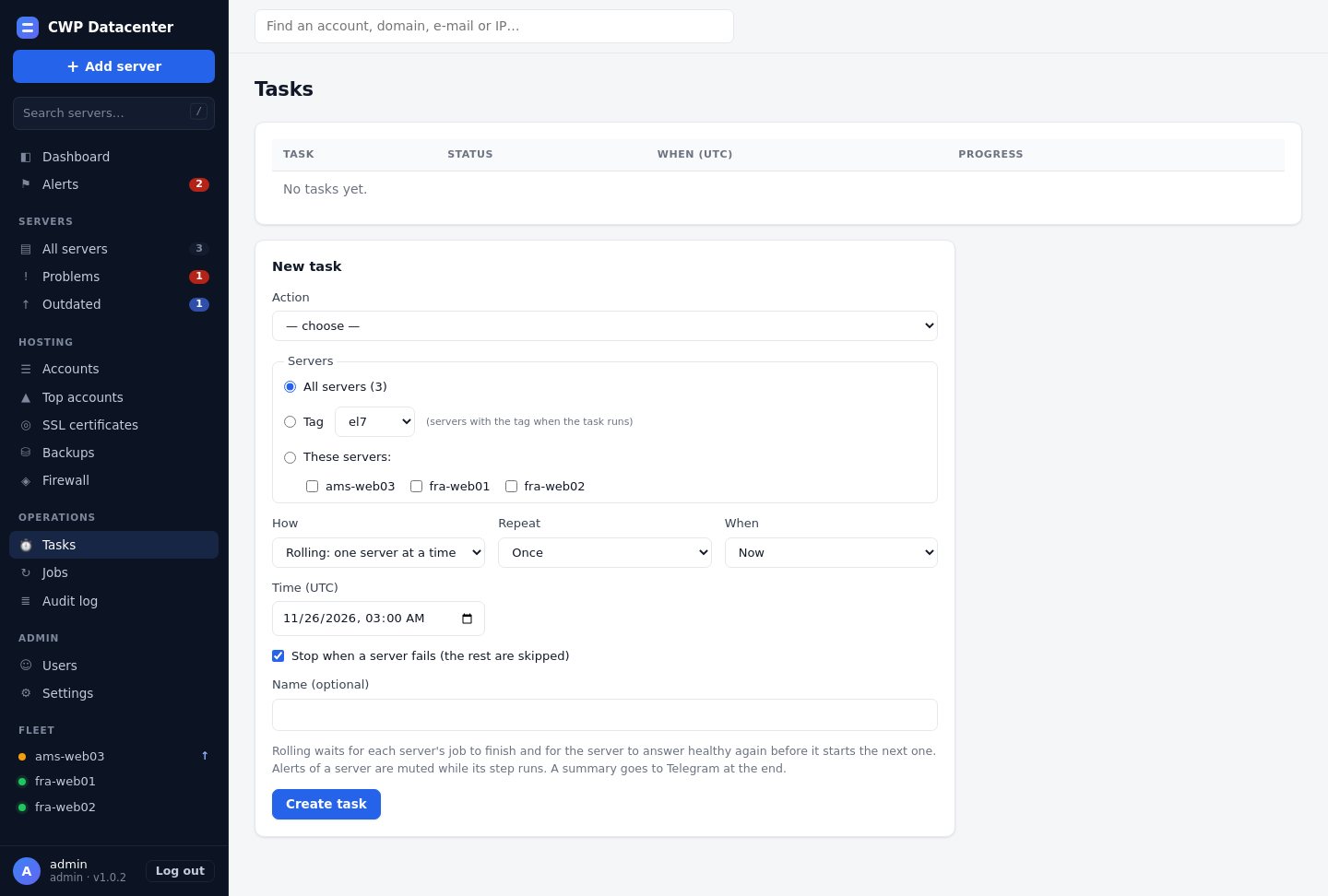
Rolling updates
CWP update, OS update or a service restart on selected servers, a tag or all servers. One by one: the next server starts only when the previous one is healthy again, and the task stops at the first failure. Or all at once, now or at a scheduled time.
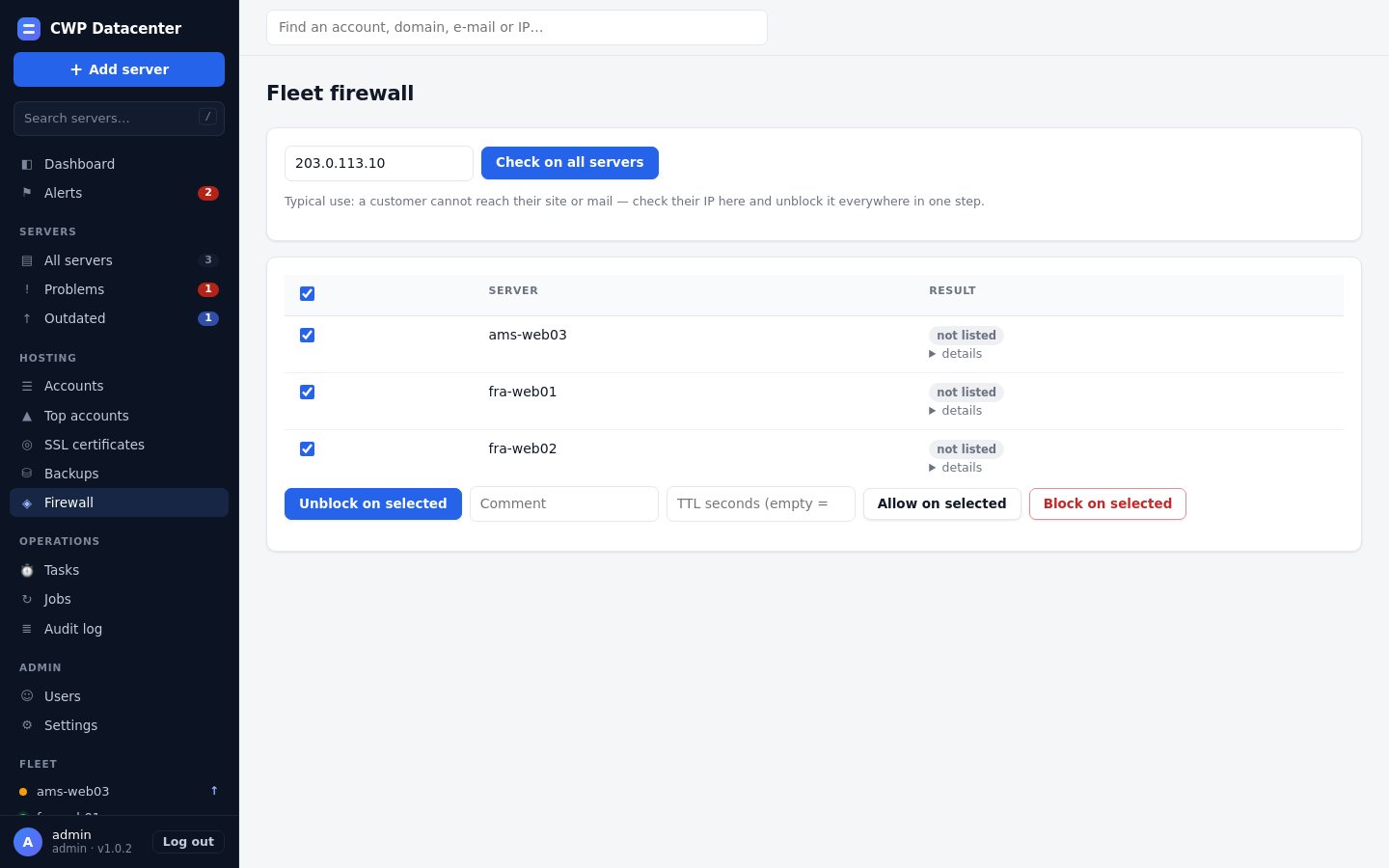
Fleet firewall
A customer cannot reach their site or mail? Look up their IP on every server at once, and unblock it everywhere in one step. Or allow and block an IP on many servers.
MONITORING
Alerts on Telegram, before customers call
The background worker checks every server every minute and sends one message when something starts, gets worse or is fixed.
- Server down, TLS key changed, stopped services
- Disk, memory and load, and a disk full forecast
- SSL certificates that AutoSSL fails to renew
- Backups that are off, stuck, failing or too old
- Server IPs on DNS blacklists, with the delisting link
- CWP updates and reboots needed, and a morning summary of the whole fleet
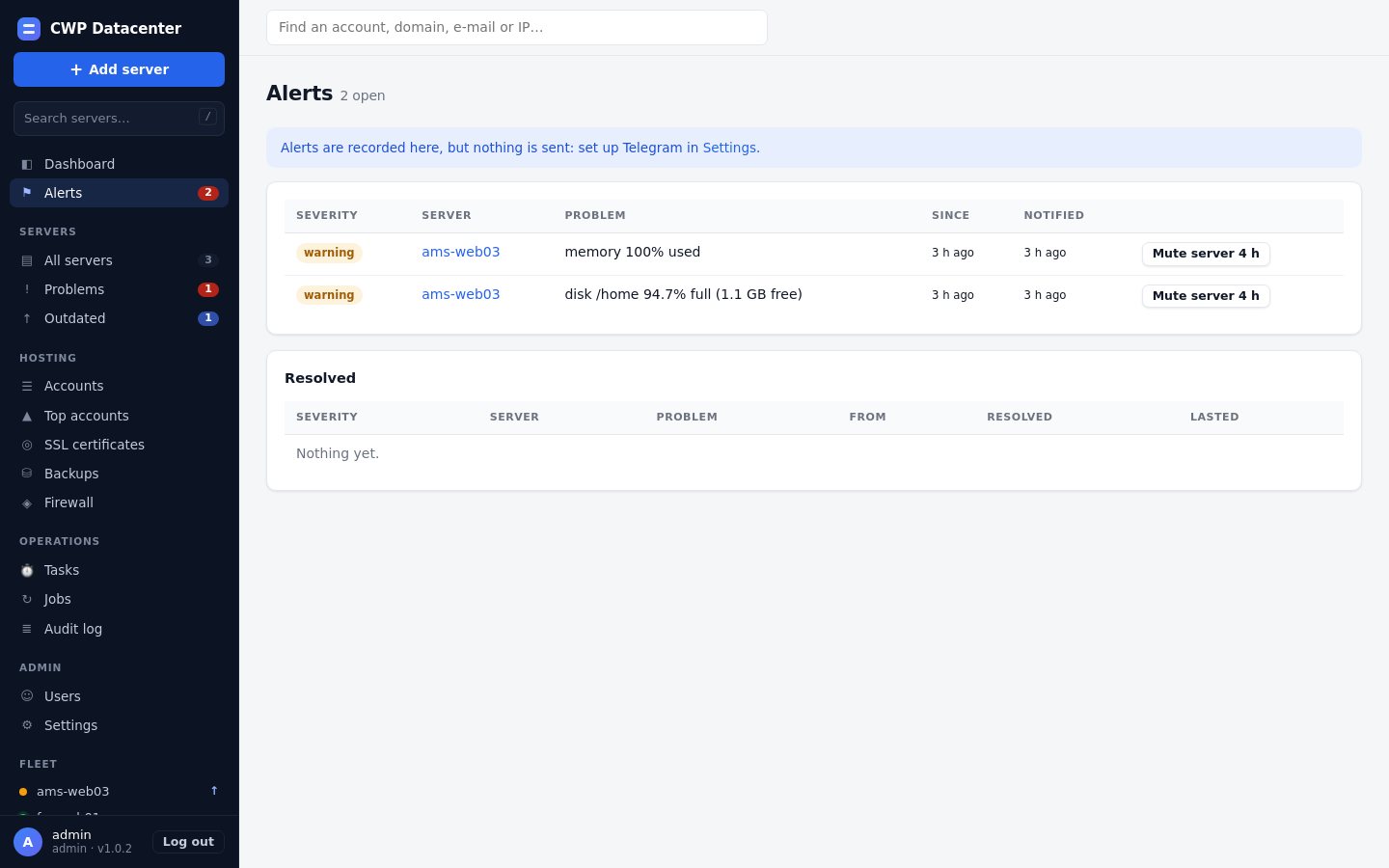
Alerts
Open and resolved alerts of all servers. Mute a server during maintenance; reminders repeat while a critical problem lasts.
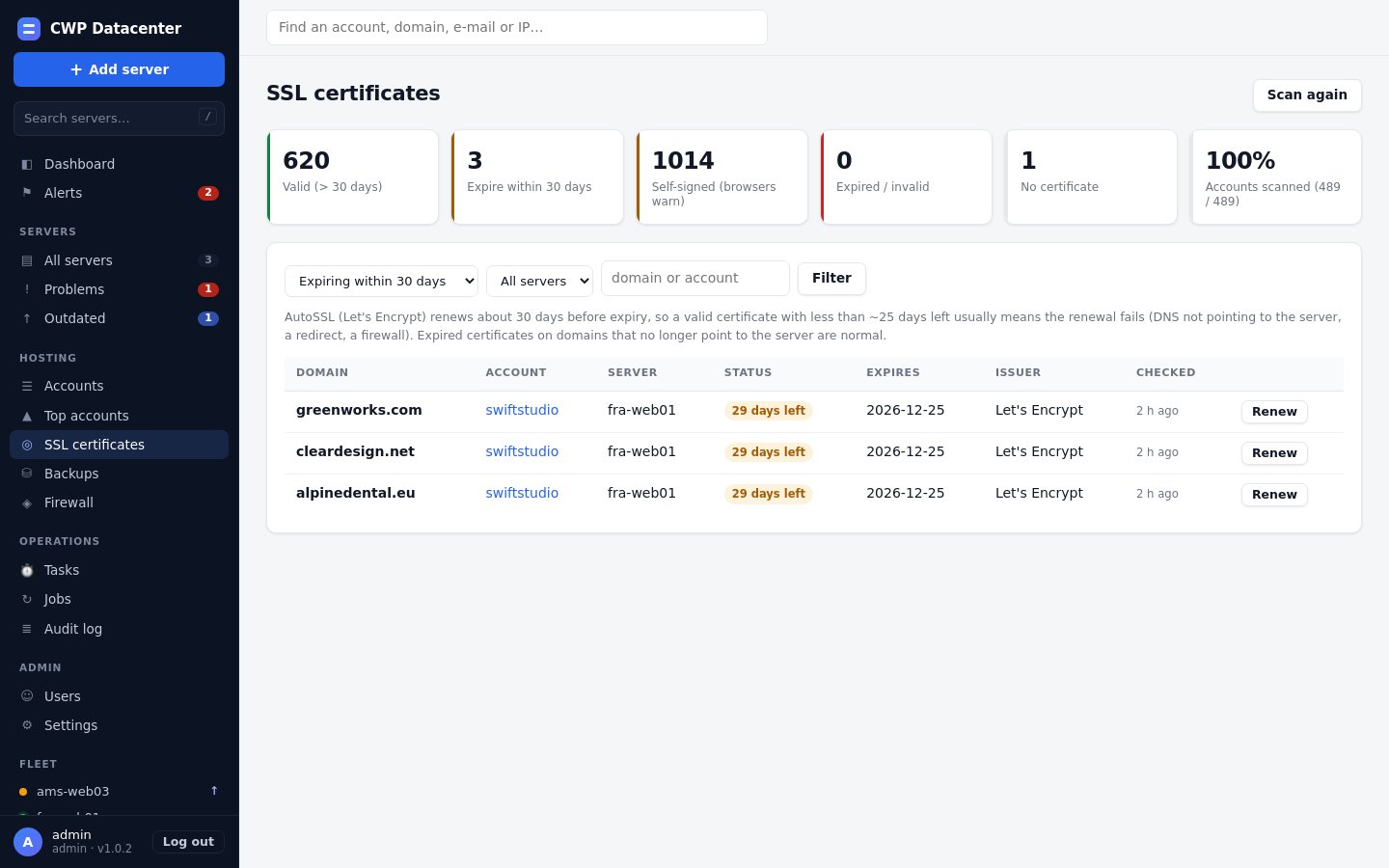
SSL of the whole fleet
Every certificate on every server, sorted by expiry, with a Renew button. Certificates that stop renewing raise an alert two weeks before they expire.
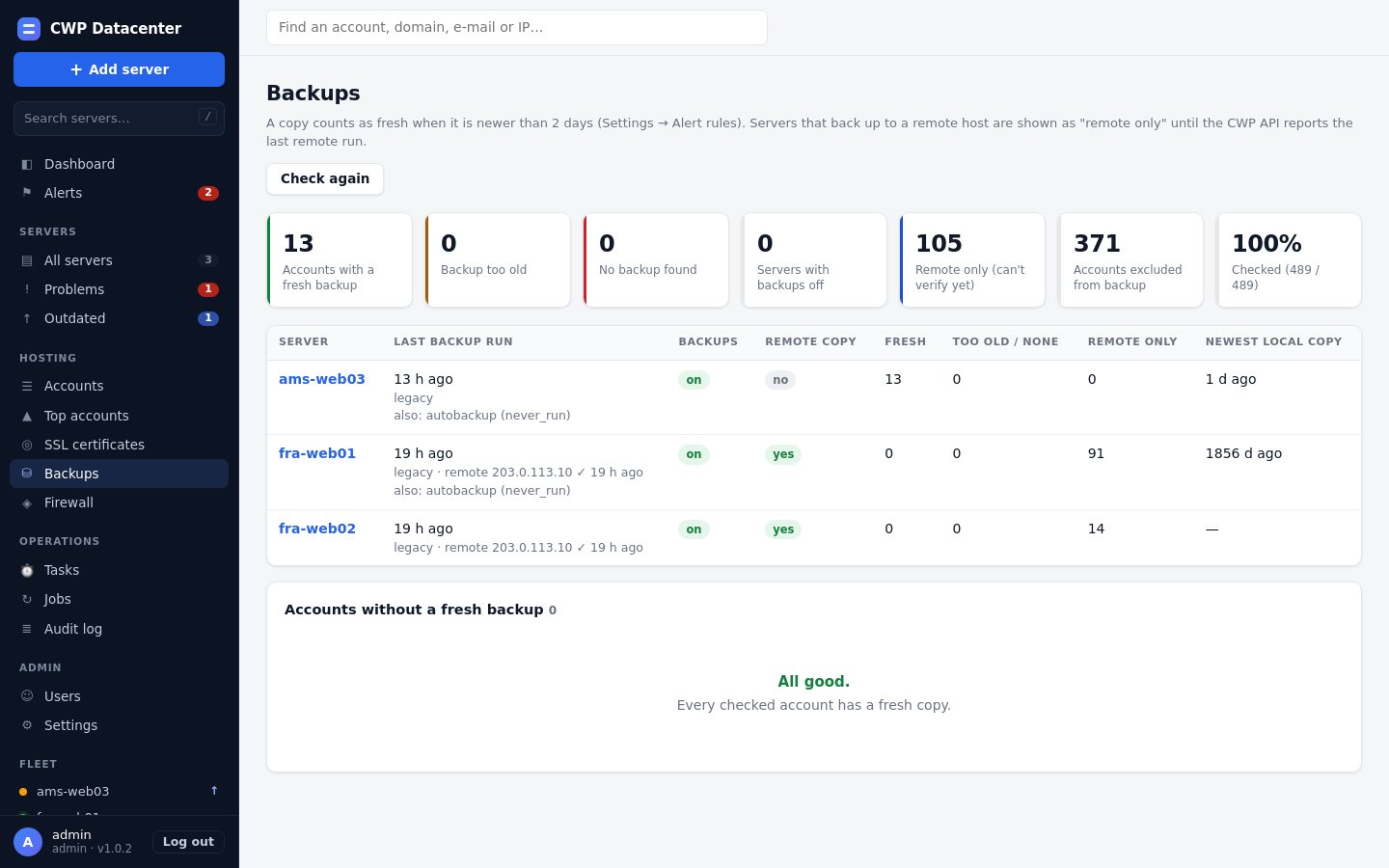
Backups you can trust
The backup system of each server, its last run, its errors, and every account without a fresh copy.
SECURITY
Built for a team, safe with root tokens
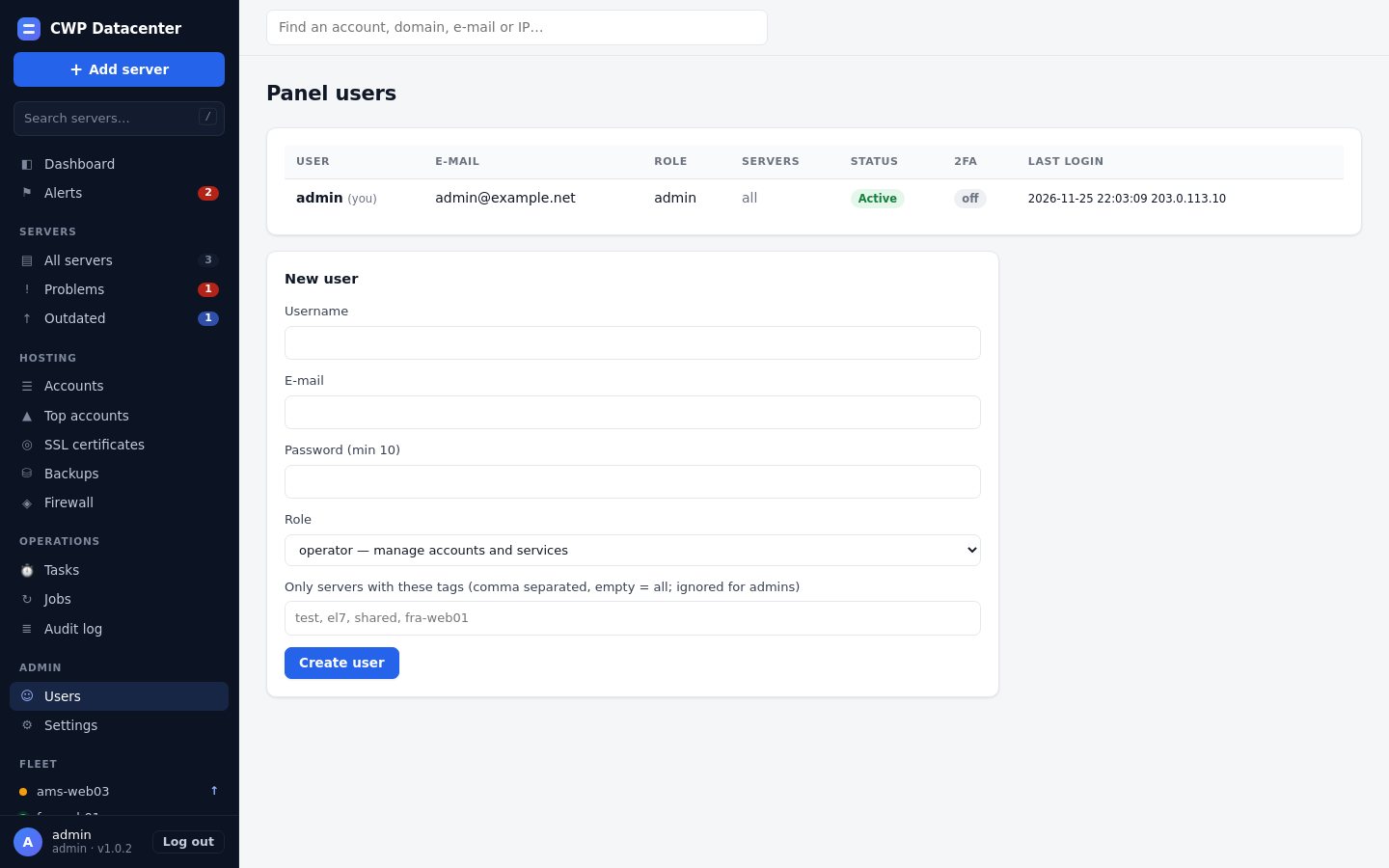
Team access
Users with roles: admin, operator and viewer. Limit a user to server tags, so a reseller or a colleague sees only their servers. Two-factor login, required for everyone with one switch, and an audit log of every change.
Tokens locked down
Each server’s API token works only from the panel’s IP, port 2304 is opened only for that IP, and the server’s TLS key is pinned: a changed key stops all requests and raises an alarm. Tokens are stored encrypted.
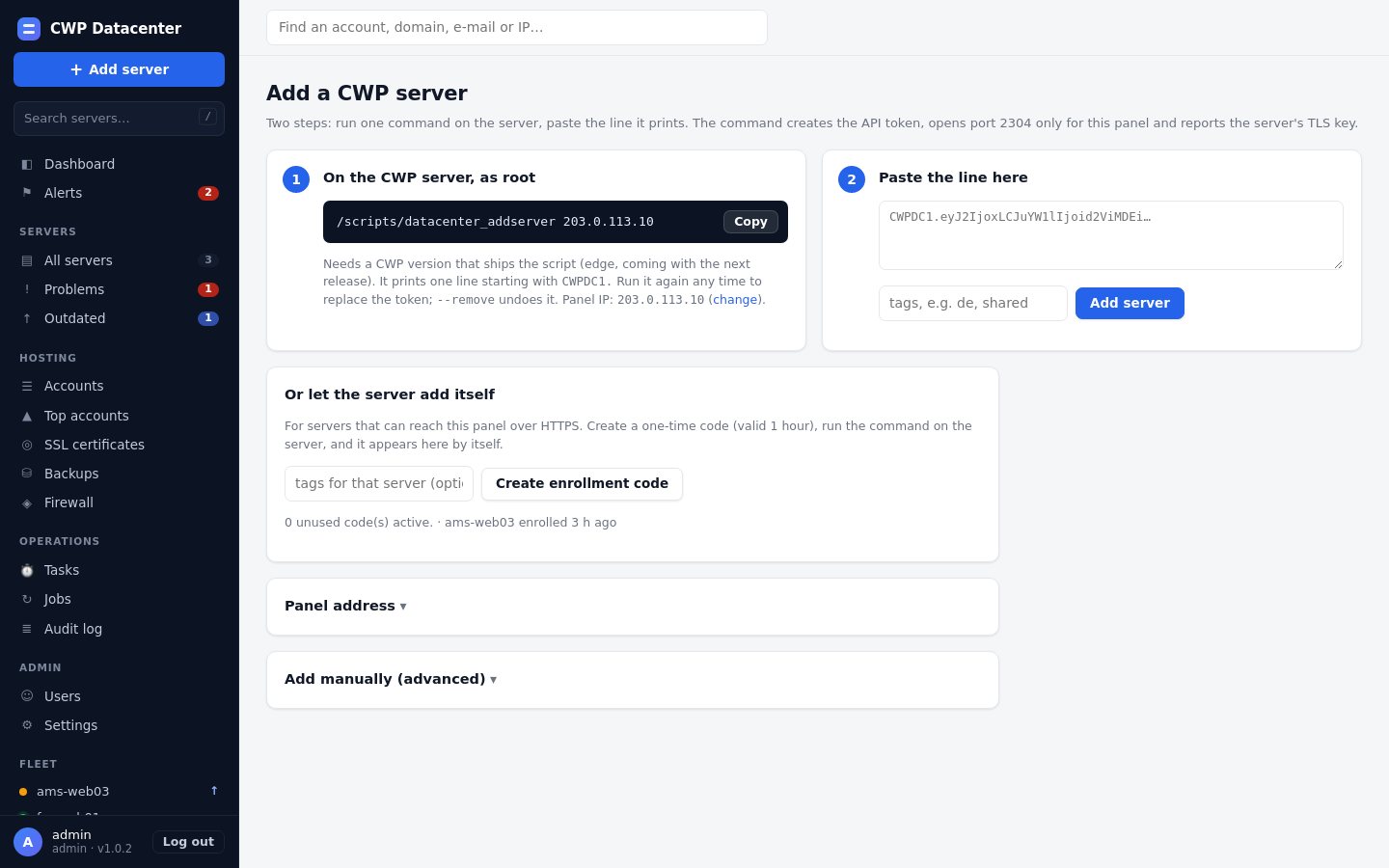
Add a server with one command
1. On the CWP server
/scripts/datacenter_addserver <panel IP>It creates an API token that works only from your panel, opens port 2304 for the panel only, and prints one line that starts with CWPDC1.
2. In the panel
Paste the line in Add server. The panel checks the token and the CWPpro license and pins the server’s TLS key. Done.
Many servers? Create a one-time enrollment code and the servers add themselves.
3. On the panel’s server
/scripts/datacenter_allow <server IP>Allows the panel to reach that server through CSF and the CWP Secure Kernel.
Screenshots
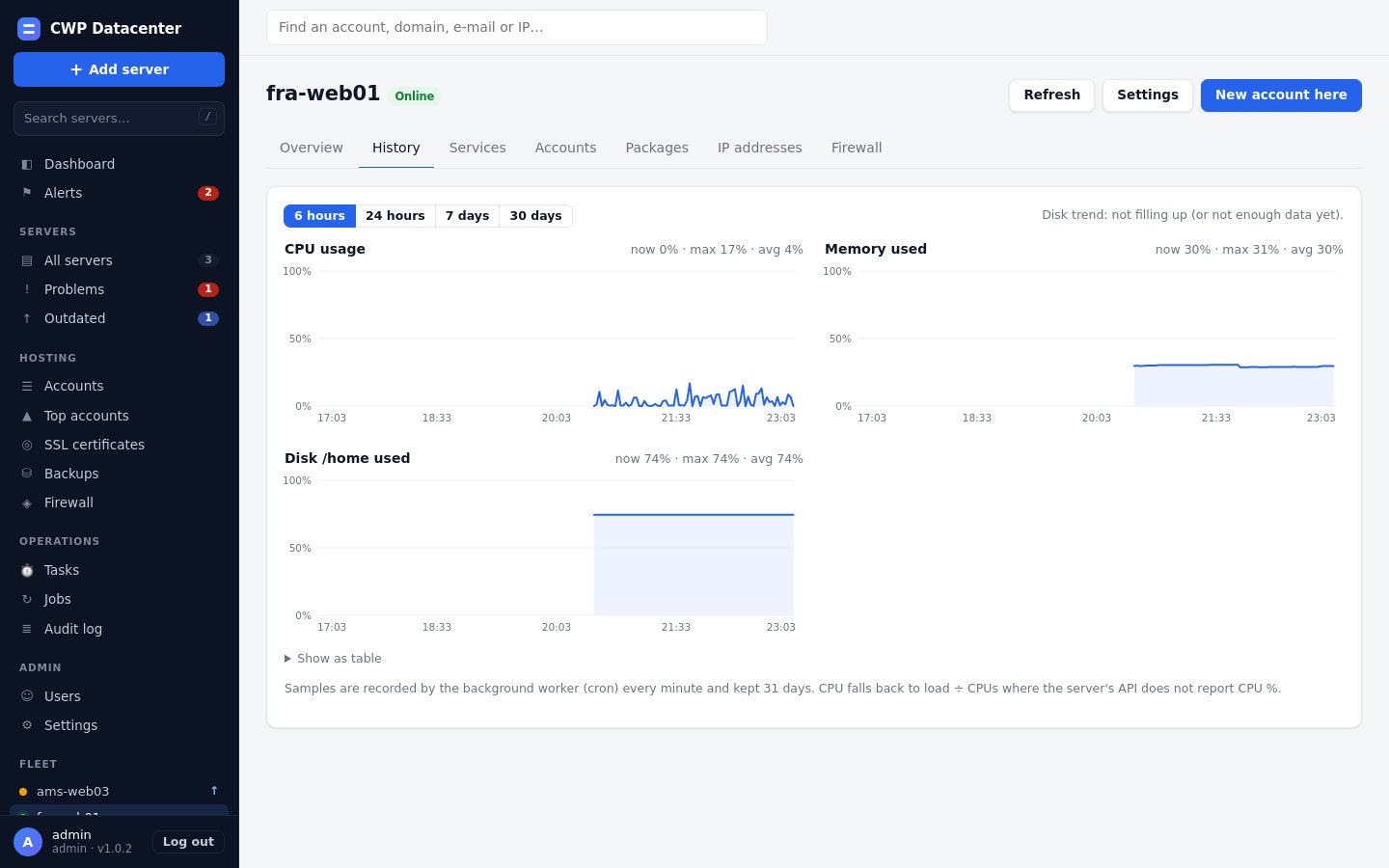
Server history
CPU, memory and disk over 6 hours to 30 days.
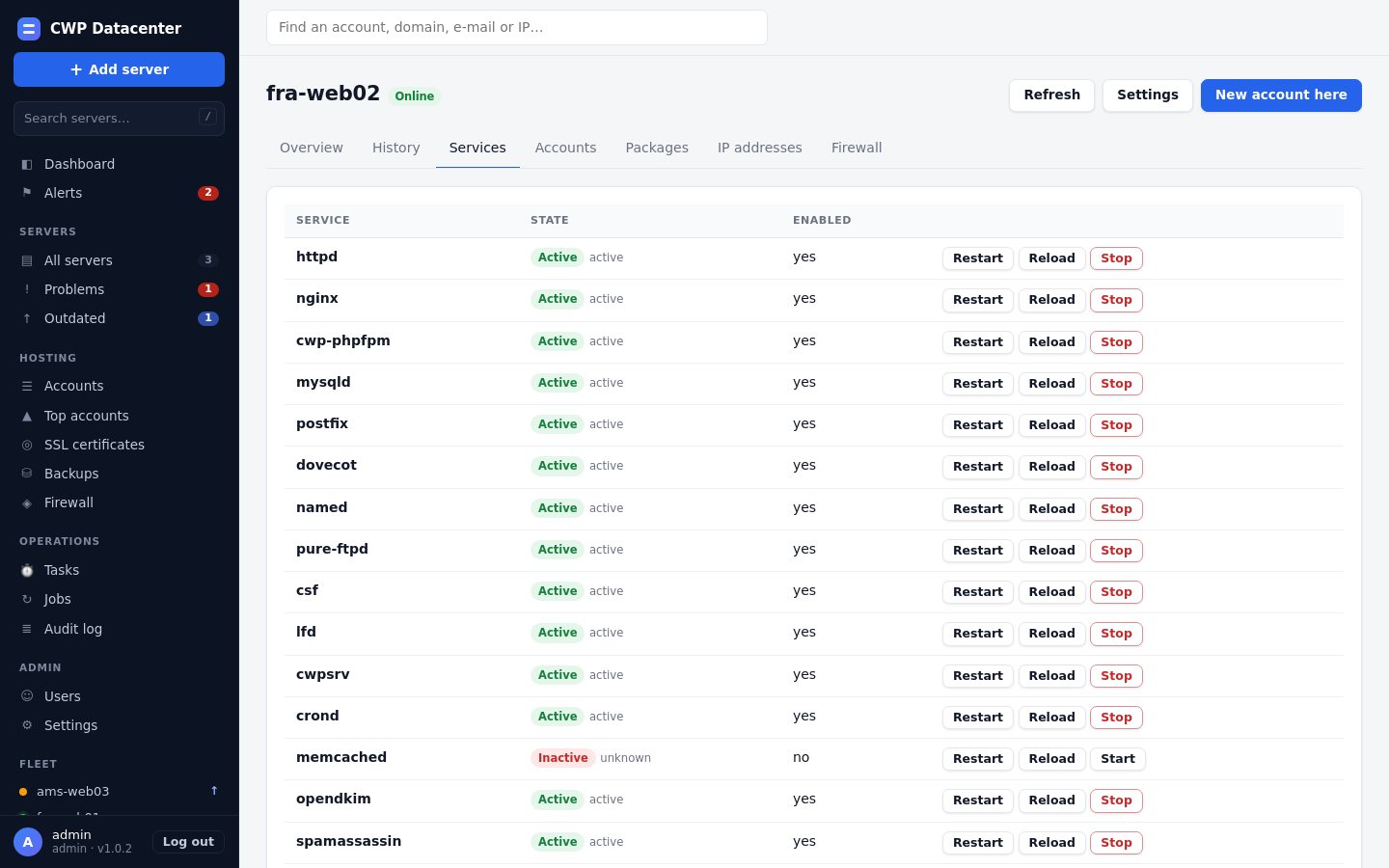
Services
Start, stop, restart and reload the services of a server.
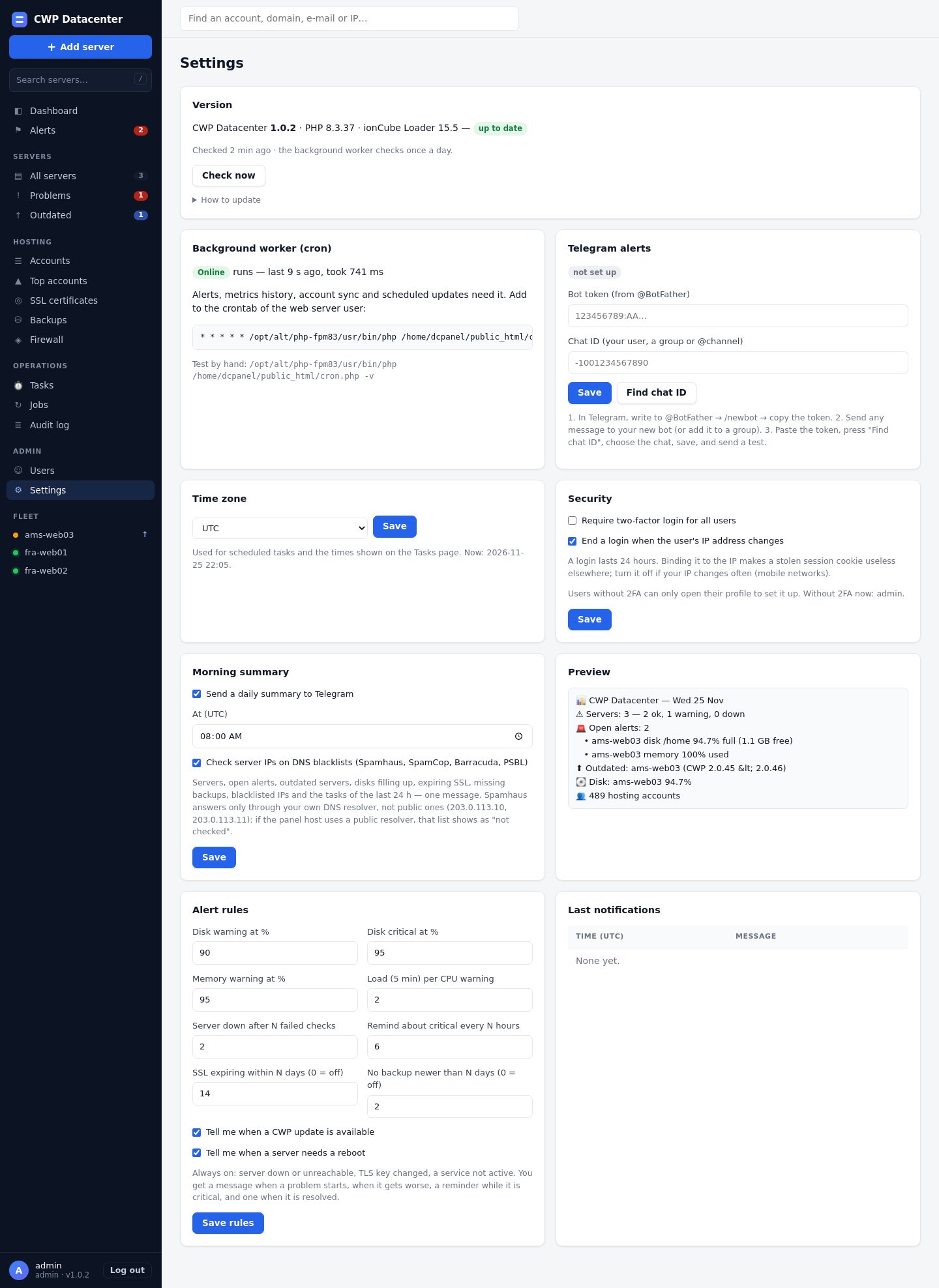
Settings
Telegram, alert rules, morning summary, security and version check.
Download and install
Requirements
- PHP-FPM 8.3 or newer with the ionCube Loader (on CWP it is already there)
- PHP extensions: curl, openssl, PDO MySQL, mbstring
- MySQL / MariaDB (or SQLite for a small setup)
- HTTPS for the panel’s domain
- A cron job every minute
Download
As the user of the panel’s hosting account:
cd ~/public_html
wget https://static.cdn-cwp.com/files/cwp/datacenter/cwp-datacenter-latest.zip
unzip cwp-datacenter-latest.zip && mv cwp-datacenter-*/* . && rmdir cwp-datacenter-*
Then open https://your-domain/install.php. The installer checks the requirements, creates the database tables and the first admin, and shows the cron line.
Managed servers
- A CWPpro license
- CWP with API v2 and
/scripts/datacenter_addserver(current CWP) - Port 2304 reachable from the panel (opened by the command)
Full guide: docs.control-webpanel.com.
Download freeGet CWPproDocumentation
Free for CWPpro
CWP DataCenter Panel costs nothing. It manages servers that have a CWPpro license, with no limit on the number of servers or accounts. A server without CWPpro cannot be added; when a license ends, the server stays in the list, greyed out, until the license is active again. Network problems never cost a license: a server is switched off only after three days of definite “not licensed” answers from the license server.
Questions
Where should I install it?
On any server with PHP 8.3 and the ionCube Loader, for example a hosting account on one of your CWP servers. The safest place is a small dedicated server or VPS, because the panel holds the API tokens of your servers.
Does it replace the CWP admin panel?
No. Each server keeps its own CWP. CWP DataCenter Panel shows all of them together and does the daily work across servers: accounts, updates, alerts, backups, SSL and firewall. For anything special, open the server’s own panel.
How many servers can it manage?
There is no limit. All servers are asked in parallel, so the dashboard stays fast with many servers.
Can my staff use it?
Yes. Create users with the role admin, operator or viewer, and limit them to server tags if they should see only some servers. Two-factor login can be required for everyone.
How does it update?
Once a day the panel checks for a new version and shows admins a notice. Unpack the new package over the old one; settings and data stay, and the database is upgraded on the first page load.